Today’s children are growing up with screens. From a kindergarten child watching cartoons on a tablet to a middle-school student researching homework online, technology is a natural part of our children’s everyday lives. So for us, the real question is not “Should children use technology?” but “How, for what purpose and with which values should they use it?”
At Özel Lider Güneşli Koleji, we look at educational technology from two angles. We want our students to be not just users of technology but people who code, design and create. At the same time, we believe that the technology that is produced and used should benefit humanity and be in keeping with the values of society. In this article, we explain how we approach digital citizenship at our school and what you can do at home.
What does digital citizenship mean?
Digital citizenship means being able to behave online, just as in real life, as an individual with rights and responsibilities. In general, it covers the following skills:
- Safety and privacy: Protecting personal information, passwords and photos; knowing what is shared and with whom.
- Evaluating information: Questioning whether a news story, video or post you come across is accurate.
- Respectful communication: Writing, commenting and debating without forgetting that there is a person on the other side of the screen.
- Digital footprint: Knowing that shared content can be permanent and can be seen by others.
- Healthy balance: Being able to balance screen time with sleep, physical activity, play and face-to-face relationships.
- Ethical and legal boundaries: Respecting other people’s work, images and personal data.
These skills cannot be taught in a single lesson and ticked off. They develop in age-appropriate ways, over years, with school and family working together.
Technology and Values: four core goals
The “Technology and Values” strand of our Educational Technology Programme lies at the heart of this approach. Our core goal is to raise students who:
- can make moral decisions online,
- use technology properly,
- can test the accuracy of the information they find online,
- know the ethical and legal consequences of their online behaviour.
In everyday life, these goals turn into concrete questions: Did I ask my friend’s permission to share this photo? Who is the source of this news story, does it also appear in other reliable sources, and when was it published? Would I say this comment face to face? Why is this app asking me for access to my location or contacts? The habit of “lateral reading” used by professional fact-checkers is based on the same idea: looking not at what a website says about itself, but at what other sources say about that website.
Step by step, by age
In kindergarten: Digital Awareness
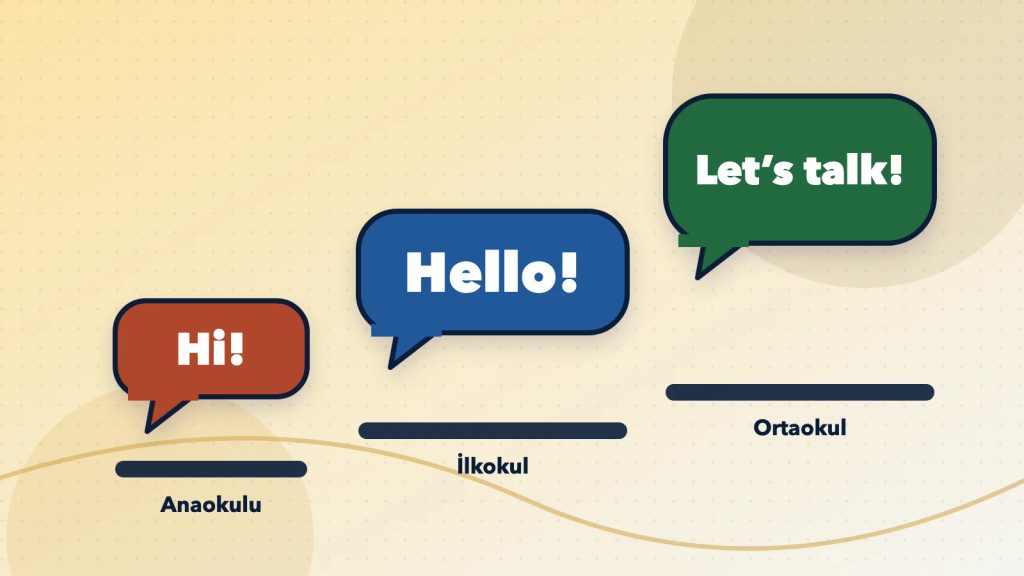
The Digital Awareness Module of our 360 Early Childhood Education Programme aims to introduce children to technology in a controlled, conscious and purposeful way. Age-appropriate technology use, awareness of healthy screen time, getting to know artificial intelligence technologies and developing correct and safe habits of use are all part of this module. Robotic coding activities are carried out under teacher guidance and with concrete materials; work on classification, patterns and reasoning forms the first steps of algorithmic thinking.
In primary school: awareness, not screens
In primary school, technology is not screen-focused; it focuses on awareness of proper use. STEM activities, mind games and simple algorithm exercises, together with robotics and coding education, develop algorithmic thinking and problem-solving skills and teach children to use technology consciously and productively. The topics of safe technology use, privacy education and bullying prevention in our guidance work also support this process.
In middle school: information, media and digital safety
In our Science and Technology Programme, students learn at least one coding language every year (Scratch, KODU, Python). They are expected to use technology effectively and efficiently, to be able to test the accuracy of the information they find online, and to act within an ethical and legal framework in the digital world. In the Information and Technology Literacy section of our Leadership Skills lessons, awareness-raising work is carried out on information literacy, media literacy, digital safety and technology use. Safe technology use is also one of the focus areas of the middle-school guidance programme.
Students who create, not just use
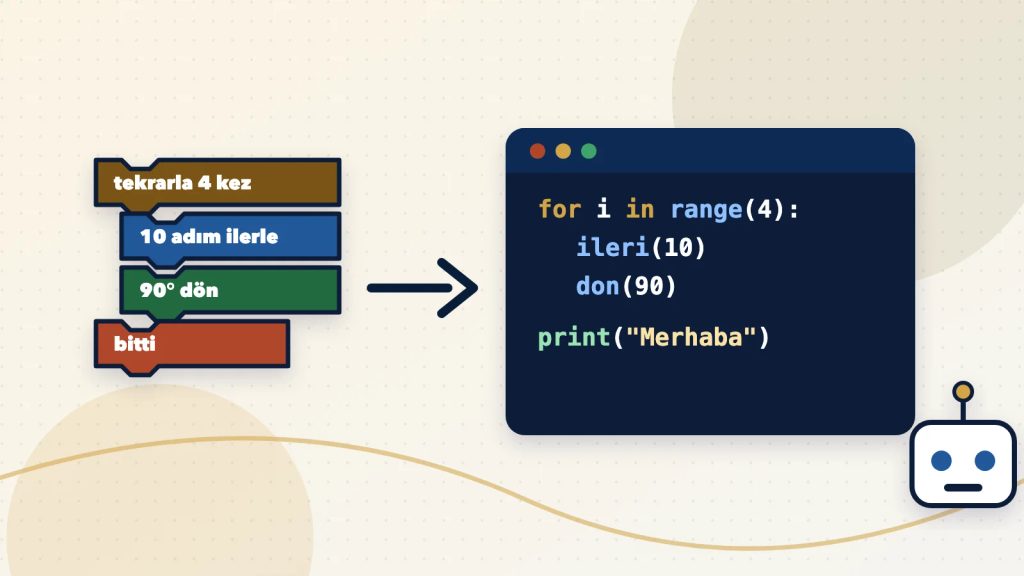
A child who understands how technology works uses it with a more critical eye. Our coding journey begins with unplugged coding: students build algorithms with the help of printed materials and games and carry them out step by step. They then take this logic onto the screen with Scratch and KODU and design their own games; in middle school, they move on to text-based coding with Python, task-oriented robots and the fundamentals of artificial intelligence.
Along the way come our Coding Studio, which offers coding through gamification for ages 7–16; our Robotics Workshop, where students design functional robots and make them move with code; Maker work that ranges from electronic circuits to making things with 3D printers; and our STEM programme enriched with art and design. A student who has written the algorithm behind a game themselves finds it easier to see that the apps they use were also designed by someone for particular purposes.
Artificial intelligence: safe use in the classroom and on our website
Artificial intelligence now appears in search engines, apps and homework tools. In lessons and in Lider Asistan on our website, we use AI while protecting children’s safety and privacy. Our principles are:
- The teacher is always in the loop: AI suggests; the teacher evaluates and decides.
- Minimum data: Only the data needed for learning is processed; identity details are not passed on to the tools.
- Not used for model training: Student content is not used to train AI models.
- Age-appropriate tools: We use closed, content-filtered environments managed through school accounts.
- Transparency: We share with parents which tool is used for what purpose.
- KVKK compliance: Explicit consent, privacy notices and retention periods are managed in line with Law No. 6698 on the Protection of Personal Data (KVKK, Türkiye’s data protection law).
We apply the same approach on our website. Lider Asistan’s answers are for information purposes only, and users are asked not to share personal data. Our website does not use cookies for advertising, marketing or visitor tracking; conversations with the assistant are kept only in the browser tab’s session storage and are deleted when the tab is closed.
What can you do at home?
Digital citizenship starts at school and is reinforced at home. Here are a few practical steps we have compiled from the recommendations of experts and international organisations:
- Set family rules together: Decide with your child on screen time, screen-free zones (the dining table, the bedroom) and the hours before bedtime. Rules agreed through conversation are accepted more easily.
- Watch screen time in the preschool years: According to the World Health Organization’s 2019 guidelines, sedentary screen time for children aged 2–4 should be no more than one hour a day; less is better. For one-year-olds, it is not recommended.
- Consider the Safe Internet Service: Under regulations of the BTK (Türkiye’s Information and Communication Technologies Authority), internet service providers offer a free, optional Safe Internet Service with “Family” and “Child” profiles. You can get the details from your service provider.
- Talk about age limits: Most popular social media platforms set a minimum age of 13 in their terms of use. Talking openly with your child about the reasons for these limits has a more lasting effect than simply banning them.
- Build a “stop before you share” habit: Remind them often of basic rules such as not sharing information like their location, school name or home address, and not sharing passwords even with their best friend.
- Keep the door open: Your child should be able to come to you when they come across something upsetting online. Listening calmly and without judgement means they will tell you next time too.
- Lead by example: Children learn the rules by watching the relationship adults have with screens.
If something worries you, don’t hesitate to talk to your child’s class teacher and our Psychological Counselling and Guidance (school counselling) unit. Regular communication with families is one of the core parts of our approach to guidance.
Let’s meet on campus
If you would like to see our technology education, our classrooms with smart boards and our coding and robotics work in person, we look forward to welcoming you to our school. Campus visits are available on weekdays 08:00–18:00 and on Saturdays 09:00–13:00. You can fill in the enquiry form on our website, call us on 0553 929 29 95 or 444 2 655, or message us on WhatsApp at 0553 929 29 95.